
Software
A Guide To How Clinic Management Systems Work In 2026
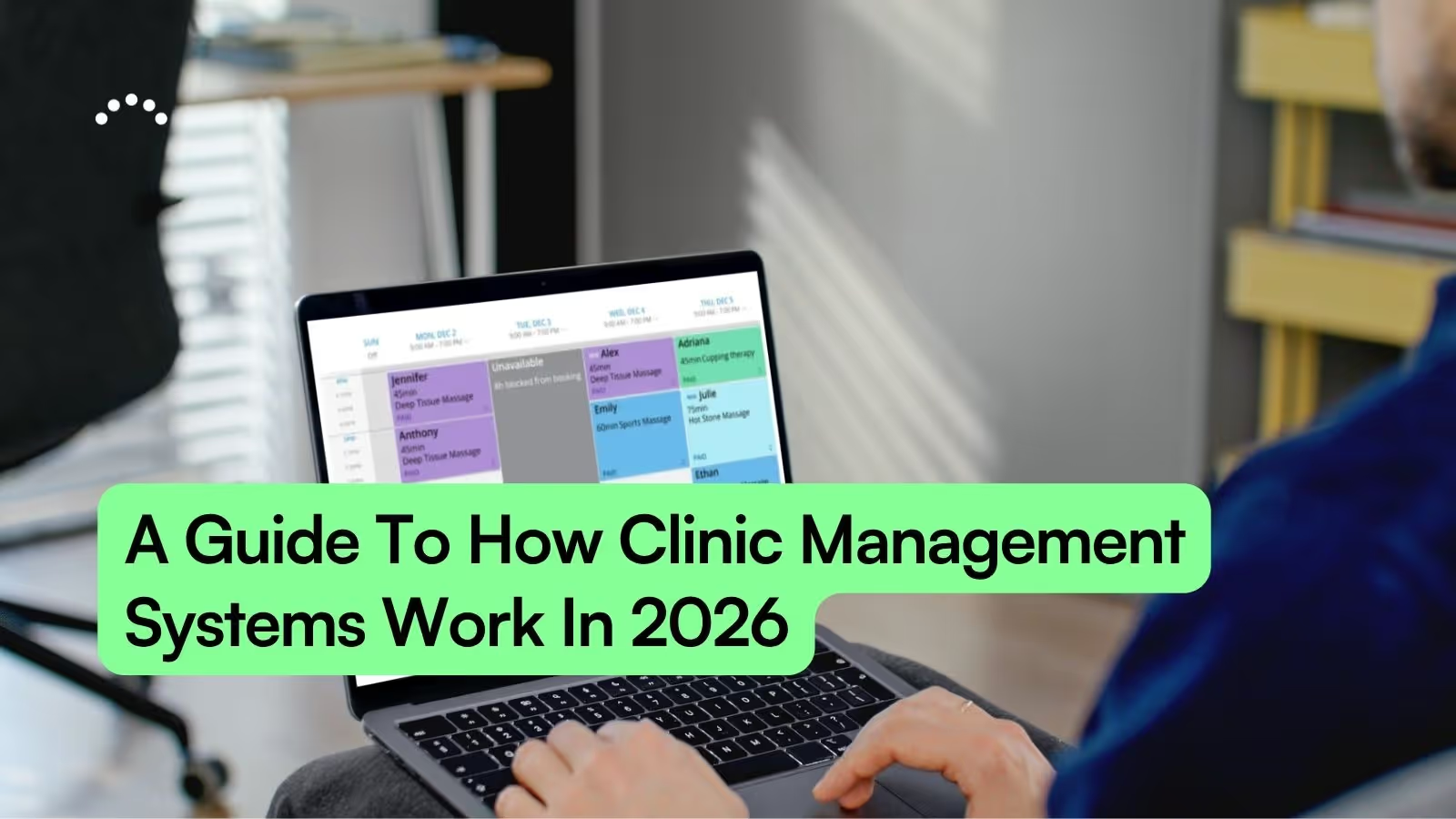
Running a health or wellness practice often means wearing a lot of hats. You’re not just seeing clients or patients all day. You’re also managing scheduling, paperwork, reminders, payments, follow-ups, and all the little administrative tasks that keep the business running.
At some point, most practitioners start looking for a better system. But once you begin researching clinic management software, it’s easy to feel overwhelmed by all the features, pricing models, and technical language.
This guide breaks everything down in simple, practical terms. We’ll walk through what clinic management systems actually do, how they work, what features matter most, and how to choose the right fit for your practice so you can spend less time buried in admin work and more time doing the work you actually enjoy.
TL:DR: Clinic management systems help health and wellness practices manage scheduling, documentation, payments, reminders, and client communication in one place. The right software can save hours of administrative work, reduce no-shows, improve the client experience, and help your practice run more smoothly day to day.
What Is A Clinic Management System?
A clinic management system is software that helps health and wellness practices keep everything organized in one place. Instead of bouncing between paper files, scheduling apps, payment processors, spreadsheets, and sticky notes, a clinic management system connects the moving parts of your business so they work together more smoothly.
Most modern systems are designed to support both client care and the day-to-day operations that happen behind the scenes. That includes things like scheduling, documentation, payments, reminders, and client communication.
A typical clinic management system helps practitioners manage:
- Online Booking and appointment scheduling
- Client records and clinical documentation
- SOAP Notes, charting, and treatment history
- Digital intake paperwork and consent forms
- Invoices and payment processing
- Automated reminders and follow-up communication
- Business reports and revenue tracking
For many practitioners, the real benefit isn’t just having these tools — it’s having them connected together.
Unlike generic scheduling software, clinic management systems are built specifically for health and wellness practices. That means the tools are designed to support things like client documentation, intake paperwork, treatment plans, and ongoing patient care, not just appointment booking.
In a recent interview, one wellness business owner shared that relying on disconnected tools like Square payments and paper appointment booking was holding the business back. They were spending too much time managing schedules manually, fixing booking mistakes, and trying to keep track of client information across different systems. After switching to one integrated clinic management platform, they were able to book more clients, improve repeat bookings, and grow their team without the scheduling chaos.
That’s often the turning point for growing practices.
When your scheduling, forms, payments, notes, and communication all work together, the business starts to feel easier to manage. There’s less double entry, fewer things slipping through the cracks, and less end-of-day admin work waiting for you after your last appointment.
For solo practitioners, that can mean getting home earlier and spending less time catching up on paperwork. For larger clinics, it can mean smoother operations, better organization, and a more professional experience for both staff and clients.
How Does Clinic Management Software Work
Clinic management software works by connecting the different parts of your practice so information flows automatically from one step to the next. Instead of manually entering the same information into multiple systems, the software keeps scheduling, documentation, payments, and communication connected in one place.
For example, when a patient books an appointment online, the system can automatically send confirmation emails, intake paperwork, reminders, invoices, and follow-up communication without your staff needing to manage each step manually.
A typical workflow looks something like this:
- A patient schedules online using your online booking system
- Intake forms and appointment confirmations are sent automatically
- The software sends automated reminders by email or text before the visit
- During or after the session, the practitioner completes SOAP notes and documentation
- An invoice is generated and payment is processed
- Follow-up reminders, rebooking prompts, or treatment plan recommendations are sent automatically
- Reports update in real time so you can track appointments, revenue, and patient retention
This connected workflow is what separates clinic management systems from generic scheduling tools or standalone payment apps. Instead of piecing together separate platforms for booking, forms, charting, and billing, everything works together behind the scenes.
Many practitioners first start searching for software because they want an easier way to manage scheduling. But the real value usually comes from how the system supports the entire patient experience, from the first booking all the way through follow-up care and repeat visits.
That’s also why many wellness professionals eventually move beyond generic calendar apps and start looking for more comprehensive, top rated booking software built specifically for healthcare and wellness practices.
What A Clinic Management System Can Automate
Core Features Of Health Clinic Software
While every platform is a little different, most clinic management systems include the same core tools to help practices stay organized, reduce administrative work, and create a smoother experience for both staff and patients. These are the foundational features that keep modern wellness practices running efficiently.
Online Booking And Scheduling
Modern clinic management software includes online booking software that allows patients to schedule appointments based on your real-time availability. Appointments can typically be booked directly through your website, Google Business Profile, social media pages, or a shared booking link.
Most systems are designed to make booking simple for clients, with no account or login required. Many also include customizable scheduling rules, buffers, waitlists, and calendar settings that help wellness practices avoid common scheduling headaches.
Research published in the National Library of Medicine found that after implementing online appointment scheduling, one medical practice reduced unused appointments from 22.7% to 10.3% and reduced never-booked appointment slots from 8.6% to 1.6%. In other words, their schedule stayed significantly fuller simply by making it easier for patients to book appointments online.

Automated Appointment Reminders
Most clinic management systems include automated appointment reminders that send confirmations and reminders by email or SMS text message. These reminders help patients stay informed about upcoming visits without requiring staff to manually reach out before every appointment.
Many platforms also allow practices to customize when reminders are sent and what information is included, helping communication feel consistent and professional across the entire client experience.
Soap Notes And Clinical Documentation
SOAP notes are a common format used by healthcare and wellness professionals to document patient visits. SOAP stands for Subjective, Objective, Assessment, and Plan, helping practitioners organize clinical information in a consistent and easy-to-review format.
Most clinic management systems include customizable documentation templates and point-and-click charting tools that make it faster to complete notes while keeping patient records organized and accessible.
Intake Forms And Consent Forms
Many clinic management systems automatically send digital intake and consent forms before a patient’s appointment, helping practices collect important information ahead of time instead of during check-in.
Forms can usually be customized based on appointment type, practitioner, or whether someone is a new or returning patient, creating a smoother experience for both staff and clients.
Billing And Payment Processing
Most clinic management systems can automatically generate invoices after appointments and support multiple payment options, including online payments, tap, chip, and contactless in-person transactions.
Many platforms also connect with payment processors and other business tools, helping practices keep scheduling, billing, and financial records connected in one system instead of managing them separately.
Client Communication And Marketing Tools
Many clinic management systems include built-in client communication tools that help practices stay connected with clients between appointments without relying on separate marketing software.
Common features include:
- Email newsletters and clinic updates
- Rebooking and follow-up reminders
- Review and feedback requests
- Birthday emails and special promotions
- Targeted communication based on appointment history or services booked
Reporting And Financial Insights
Most clinic management systems include reporting tools that give practices visibility into revenue, appointment trends, retention, and overall business performance. Instead of pulling information from multiple systems, practitioners can review important data in one place.
These insights help clinic owners make more informed decisions about scheduling, staffing, marketing, and financial planning without relying on spreadsheets or manual tracking.
Benefits Of Using A Medical Clinic Management System
Let’s look at what this actually means for your day-to-day.
The biggest benefit of using a clinic management system isn’t just having digital tools — it’s how much easier your practice feels to run when everything works together. Less time spent managing paperwork, fewer scheduling headaches, and more mental energy to focus on the people you help.
For many practitioners, the shift happens gradually. You stop spending evenings catching up on notes. Intake paperwork gets completed before appointments instead of in the waiting room. You have a chance to review health history information and client concerns ahead of time. Your schedule feels more organized. Communication becomes more consistent. And instead of constantly reacting to administrative tasks and small problems throughout the day, the business starts running more smoothly in the background.
Whether you’re a solo practitioner or growing a multi-provider clinic, the right system can help create a calmer, more professional experience for both your team and your patients.

Save Time And Reduce Administrative Work
One of the biggest advantages of using a clinic management system is how much work gets done without you having to constantly think about it.
Appointments book online while you’re in session. Intake forms are sent automatically before appointments. Reminder emails and texts go out on schedule. Follow-ups are handled in the background. Payments are tracked. Reports update automatically. Client records stay organized and accessible. Instead of manually managing every step of the patient experience, the system helps keep the business moving even while you’re focused on the person on your table or in your treatment room.
That doesn’t just make the business run more smoothly. It helps protect your time and energy.
Your schedule stays fuller without as much back-and-forth communication. You spend less time tied to paperwork after work. And there are fewer nights where you’re sitting on the couch finishing notes long after your last appointment ended.
The time savings with documentation alone can be significant. A busy full-time massage therapist might see around 20 clients a week. If better templates and point-and-click charting save just 5–10 minutes per appointment, that can quickly add up to several hours reclaimed every week.
With customizable templates and streamlined charting, SOAP notes software can dramatically reduce documentation time while keeping records organized and accessible. ClinicSense estimates that practitioners who manually spend about 15 minutes charting after each session could spend:
- About 5 hours charting for every 20 appointments
- Around 19 hours for 75 appointments
- Nearly 50 hours for 200 appointments
- More than 125 hours for 500+ appointments
When you multiply those hours across months and years in practice, the impact becomes much bigger than “saving a few minutes.” It can mean leaving work earlier, reducing burnout, protecting your work-life balance, and having more energy left for the people and activities that matter outside of work.
For massage therapists especially, reducing administrative overload is an important part of building a resilient massage practice that feels sustainable long term.
Keep Client Records Organized In One Place
When client records are scattered across paper files, spreadsheets, emails, and separate apps, even simple administrative tasks can take more time than they should. Finding intake forms, reviewing treatment history, or checking past appointments often turns into unnecessary digging and backtracking.
With a digital clinic management system, everything is stored together in one place. You can pull up a patient’s profile and quickly access appointment history, intake paperwork, notes, invoices, and communication records within seconds.
Going paperless also helps reduce physical storage needs and keeps records more organized over time. For practices that work with insurance providers or need to maintain proper documentation standards, secure digital recordkeeping can also make it easier to stay compliant and prepared if records ever need to be reviewed or audited.
Reduce No-Shows And Cancellations
Missed appointments and last-minute cancellations don’t just disrupt your day. They can lead to lost revenue, gaps in your schedule, and a lot of unnecessary stress. In fact, no-shows and unfilled appointment times are some of the most common ways clinics lose revenue over time.
A good clinic management system helps set expectations early. Clients see your cancellation policy during booking and can be required to agree to it before scheduling an appointment.
Appointment reminders help clients remember upcoming visits before they slip their mind. With tools like Square integration with ClinicSense, practices can also securely keep cards on file and automate cancellation fee collection when needed.
The biggest shift is that the system handles much of this for you in the background. Clients receive reminders automatically. Policies are communicated consistently. And if someone late cancels or no-shows, the software can enforce the policy the same way every time. That takes you out of the position of having to make awkward judgment calls or uncomfortable money conversations at the front desk.
Gain Visibility Into Your Business Performance
When your business data updates in real time, it becomes much easier to understand what’s actually happening in your practice. You can quickly see things like revenue, retention, busiest days, top-performing services, and rebooking trends without manually sorting through spreadsheets or payment records.
That visibility makes it easier to make informed business decisions. Instead of guessing, you can look at weekly or monthly reports and adjust your schedule, marketing, pricing, or goals based on real numbers.
Many ClinicSense customers say that regularly reviewing reports helps them stay more aware of their bottom line and better manage their budget throughout the year. Sometimes just seeing your numbers consistently is enough to help you run your business more intentionally.
Clinic Management System vs EHR
An EHR (Electronic Health Record) is primarily designed to manage medical records and clinical information. These systems are commonly used in larger healthcare settings like physician offices, hospitals, and healthcare networks where providers need to share records across departments or organizations.
Clinic management systems include clinical documentation too, but they also support the operational side of running a wellness practice. That includes scheduling, payments, communication, reporting, and other day-to-day business tools.
For many wellness practices, a clinic management system provides the broader functionality needed to manage both patient care and the business itself in one place. This is why many practitioners end up comparing practice management vs EMR and EHR systems before choosing software.
How To Choose The Best Clinic Management Software
Don’t worry, finding the right fit doesn’t have to be overwhelming. The best clinic management software is usually the one that fits naturally into the way your practice already works while helping simplify the parts that currently feel frustrating or time-consuming.
As you compare platforms, focus on the features that will have the biggest impact on your day-to-day workflow, client experience, and long-term business goals.
Let’s take a look at the top features to look for in clinic management software.

Define Your Practice Needs
Before comparing software platforms, take a step back and think about what your practice actually needs most right now.
Ask yourself:
- Are you a solo practitioner or managing a team?
- Do you need simple scheduling or more advanced clinic tools?
- What services do you offer?
- Do you need charting or treatment notes?
- Are cancellations or no-shows a problem?
- Do you want built-in marketing and follow-up tools?
- What administrative task takes up the most time each week?
The clearer you are about your biggest pain points, the easier it becomes to choose software that genuinely improves your day-to-day workflow.
Look For Wellness-Specific Features
Generic scheduling software might work for booking appointments, but it often falls short when it comes to the day-to-day needs of health and wellness practices. Features like SOAP notes, intake forms, treatment packages, charting, and follow-up communication are usually designed very differently in wellness-focused software.
That’s why it’s important to choose a platform that matches the way your practice actually operates. For example, a massage therapist may prioritize online booking and treatment packages, while a chiropractor or physical therapist may need more detailed documentation tools and customizable intake forms. Many practitioners also compare platforms by reading discussions and reviews focused on their specific profession, like this guide to the best massage therapy software.
Prioritize Ease Of Use
The best clinic management software is the one you and your team will actually enjoy using every day. Even powerful software can become frustrating if it feels complicated, cluttered, or difficult to learn.
Look for a platform with an intuitive interface, simple workflows, and strong onboarding support. Many practitioners also pay close attention to user reviews and ease-of-use rankings when comparing platforms, like this article on why ClinicSense was ranked the #1 easiest massage software to use in 2025.
Check For Integrations And Support
Make sure the software works well with the tools you already use. That might include payment processors like Square, calendar syncing, email platforms, or other systems that help run your practice day to day.
Good support matters too, especially when you’re learning a new platform or troubleshooting a problem between appointments. Look for software that offers helpful tutorials, support articles, and access to a real person when you need assistance.
Take Advantage Of Free Trials
Whenever possible, test a few different platforms before making a decision. What looks good on a features list can feel very different once you start using it in your actual day-to-day workflow.
Free trials give you a chance to explore the booking process, documentation tools, scheduling setup, and overall user experience before committing long term. A full-feature trial, like the free ClinicSense trial, can also help you get a better sense of whether the software will truly support the way you want your practice to run.
How Much Does Clinic Management Software Cost
The right clinic management software price depends on the size of your practice, the features you need, and how many practitioners will be using the system. Some platforms are designed for solo providers, while others are built to support larger multi-provider clinics.
Common pricing models include:
- Per-practitioner pricing: cost increases as your team grows
- Tiered plans: higher plans unlock more advanced features
- Flat-rate pricing: one monthly price regardless of clinic size
When comparing software, it’s important to think beyond just the monthly cost. The cheapest option isn’t always the best fit if it creates more manual work, limits your growth, or lacks important features your practice will eventually need.
A good clinic management system should meet you where you are now while still supporting your practice as it grows. The right software can save hours of administrative time, improve the client experience, help fill your schedule more consistently, and support better client retention over time. In many cases, the time saved and revenue supported outweigh the cost of the software itself.
Many platforms also offer free trials with full feature access and no credit card required, making it easier to explore different options before committing long term.
How Long Does It Take To Implement Clinical Management Systems
Most practices can get up and running with a clinic management system within a few days to a couple of weeks. The timeline usually depends on where you’re starting from and how much information needs to be moved over.
For example, transitioning from paper files will typically take more time than importing an existing digital client list or switching from another software platform. But with an easy-to-use system, many practitioners can start booking appointments, sending forms, and documenting sessions almost immediately.
Most platforms also provide onboarding resources, setup guides, tutorials, and customer support to help make the transition smoother. Easy-to-use platforms like ClinicSense are designed to help practices get set up and running in hours, not days.
Who Uses Software For Clinic Management
The nice thing about modern clinic management software is that it can adapt to a wide range of health and wellness practices. Different practitioners use it in different ways, but the goal is usually the same: less administrative work, smoother workflows, and a better experience for both staff and clients.
Massage Therapists
Massage therapists often use clinic management software to streamline online booking, complete treatment notes faster, reduce no-shows, and keep client communication organized between sessions.
Physical And Occupational Therapists
Physical and occupational therapists often need more detailed documentation tools, customizable intake forms, treatment tracking, and scheduling systems that support multiple appointment types and ongoing care plans.
Many growing practices eventually look for software to help grow a physical therapy business while also simplifying documentation and scheduling.
Chiropractors And Osteopaths
Chiropractors and osteopaths commonly rely on clinic management systems to keep scheduling, charting, billing, and patient records connected in one organized workflow, alongside other top chiropractic tools that support patient care and clinic operations.
Acupuncturists And Natural Medicine Practitioners
Acupuncturists and holistic health practitioners often look for flexible charting tools, wellness-focused workflows, and customizable forms that reflect a more individualized approach to care.
Medical Spas And Wellness Centers
Medical spas and wellness centers frequently need multi-provider scheduling, treatment packages, memberships, gift cards, and automated communication tools to help manage a higher volume of appointments and services. Many also look for EMR software for medspas that supports both clinical documentation and the client experience.
Security And Compliance In Clinics Software
Clinic management systems store sensitive client and patient information, so security matters. Reputable platforms are designed to help protect records while keeping information easy for authorized staff to access when needed.
Key things to look for include:
- Data encryption: helps protect information during storage and transfer
- Access controls: limits who can view or edit sensitive records
- Compliance standards: supports important healthcare privacy and data requirements
- Secure cloud storage: reduces the risk of lost, damaged, or misplaced paper files
For most wellness practices, the goal isn’t becoming a cybersecurity expert. It’s knowing your client records are stored securely in a system designed to protect sensitive information and support professional recordkeeping standards.
Simplify Your Practice With The Right Clinic Management Solution
The right medical clinic management software does more than organize appointments and paperwork. It helps your entire practice run more smoothly behind the scenes so you can spend less time managing administrative tasks and more time focused on your patients.
When scheduling, documentation, reminders, payments, and communication all work together in one place, the day simply feels easier. You spend less time switching between systems, less time catching up on notes after work, and less mental energy trying to keep track of everything yourself.
Over time, that can make a real difference in your work-life balance, stress levels, and overall sustainability in practice. The right system doesn’t just help you run your business more efficiently. It helps you get your time back.
Ready to see how it works? Get started with a free trial. No credit card required.

.avif)


Frequently Asked Questions
What is the difference between clinic management software and practice management software?

Can solo practitioners use a clinic management system?
Does clinic management software work on mobile devices?
What happens to client data when switching to a different clinic management system?
Are there free clinic management software options available?

ClinicSense Content Studio develops educational resources for health and wellness professionals who want to run stronger, more sustainable businesses. We focus on clear, trustworthy guidance across marketing, operations, client experience, and practice growth.
Relevant articles


A better way to run your practice.

Start your 14-day free trial today.
