
Software
What Every Clinic Owner Should Look For In Software

Opening a clinic means you're suddenly responsible for far more than client care. Even if you are still a practitioner, there's more that will now fall on your plate than before.
You still have to manage scheduling, intake forms, charting, billing, reminders, and follow-ups, but now the system has to work for you and whoever you decide to hire at your clinic.
This guide will help you choose the right software for your clinic, something that is built to go from solo to scaled without the headache.
TL;DR: The right practice management software unifies scheduling, intake forms, charting, and billing into one connected system, saving clinic owners hours of admin every week. Look for online booking, automated reminders, customizable SOAP notes, integrated payments, and HIPAA/PIPEDA compliance. Choosing an all-in-one platform built for allied health, rather than piecing together separate tools, simplifies daily operations as your clinic grows.
What Is Practice Management Software For A Clinic?
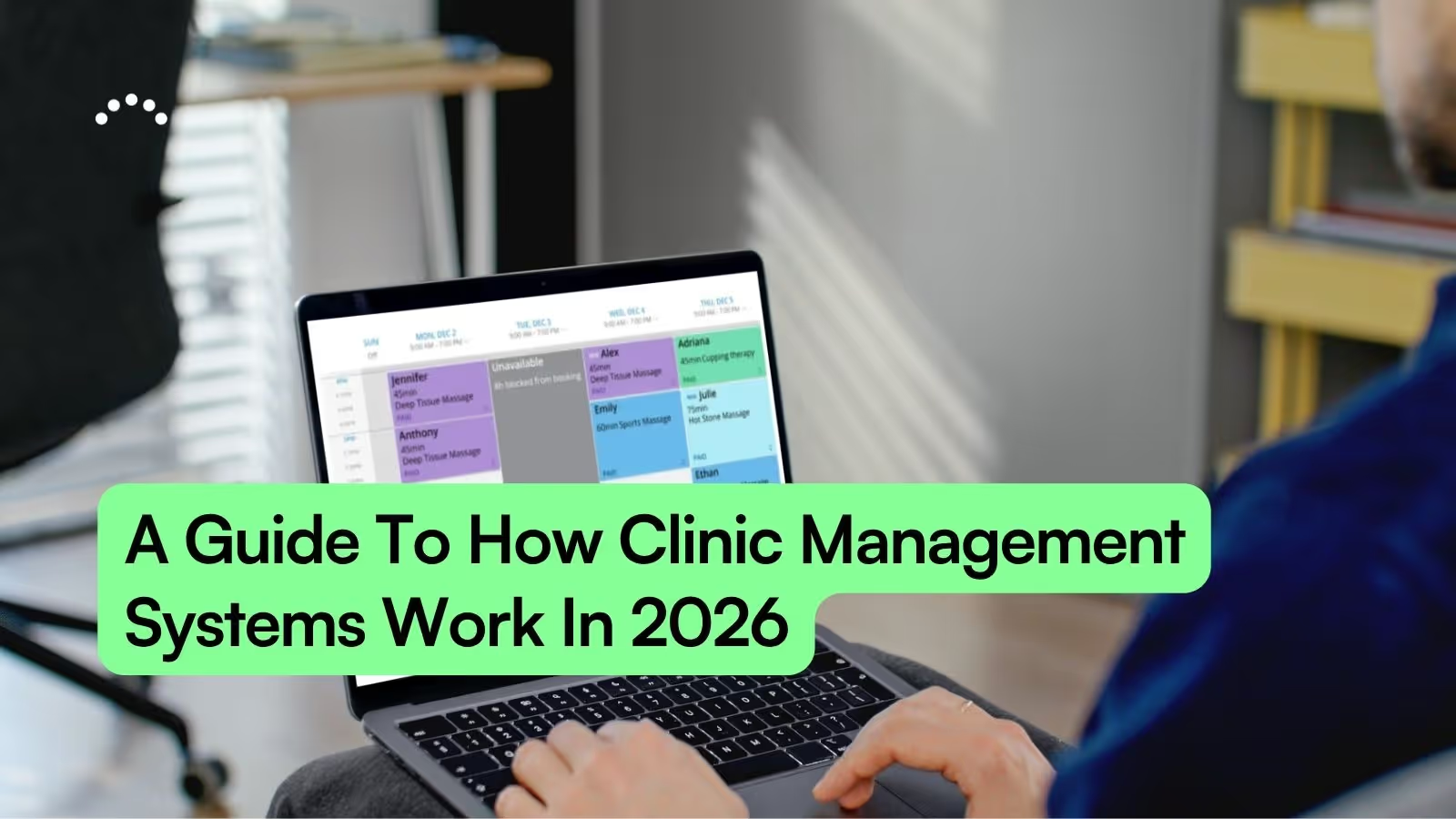
When you own a clinic, an all-in-one platform that unifies scheduling, client files (EMR), charting, and billing into a single connected system is paramount for everyday operations.
Practice management software is that central hub: your digital front desk, filing cabinet, and receptionist working together as one.
Instead of bouncing between a calendar app, paper forms and notes, marketing tools, and a payment processor, everything lives in one place. A client books online, their appointment lands on your calendar, intake forms go out automatically, and payment happens without extra steps. You spend less time on admin and more time doing what you actually trained for.
Practice Management Software vs EHR And EMR
You've probably seen these terms tossed around like they mean the same thing. The difference between practice management software, EHR, and EMR matters, and knowing it helps you pick the right tool.
First, clinic management software and practice management software may be the same thing; however, practice management is also used in law or dentistry. In this example, we're referring to software that helps allied healthcare practitioners.
If you're running a massage therapy practice, chiropractic office, or wellness clinic, you do not need a full EHR designed for hospitals. Practice management software built for allied health fits your workflow without the complexity you'll never touch, and a practice management tool with a built-in EMR (client file storage) like ClinicSense is the best possible pick.
Why Every Clinic Owner Needs Practice Management Software (With EMR)
Running a clinic means wearing a lot of hats. You're the practitioner, the scheduler, the billing department, and sometimes the marketing team too. The right software takes several of those hats off your head.
Here's what changes when you have a system working behind the scenes:
- Reclaim admin time: Less paperwork means more time with clients or more time for yourself at the end of the day
- Reduce missed appointments: Appointment reminders keep your schedule full without you chasing people down
- Look professional: A polished client experience from booking to follow-up builds trust before you even meet someone
- Stay organized with client files All client information lives in one secure, accessible place instead of scattered across notebooks and spreadsheets
- Manage your team easily: As you grow your business, new team members will join. It's important to have software in place that everyone can use and understand quickly. ClinicSense has features like new practitioner onboarding, practitioner permissions, and an intuitive interface to check that box.
Must-Have Features To Look For In Clinic Software
Let's walk through the features that matter most. Not every platform includes all of them, so knowing what to look for helps you avoid settling for software that creates more work than it saves.
Online Booking And Scheduling
80% of patients want to schedule appointments the same way they order food or schedule a haircut, online, whenever it's convenient. Online booking lets people see your real-time availability and reserve a spot without phone tag.
Look for a system like ClinicSense where clients can book directly from your website or social media (like Facebook or Instagram), or Google My Business without creating usernames or passwords. The fewer barriers, the more likely they follow through.
In the event that you don't have a website, ClinicSense provides a free online booking business page your clients can use to locate you, see your hours and contact information, and book an appointment.
Automated Appointment Reminders And No-Show Protection
No-shows hurt. They cost the U.S. healthcare system $150 billion annually and leave gaps that could have gone to someone else. Automated reminders, sent by email or text, dramatically reduce forgotten appointments.
Some platforms go further with cancellation policies, prepayment requirements, or waitlist management that automatically fills canceled slots. ClinicSense includes No-Show Guard® specifically to help protect your income when clients cancel late or don't show.
Customizable SOAP Notes And Charting
SOAP notes (Subjective, Objective, Assessment, Plan) are the standard format for documenting client visits in health and wellness practices. Good software lets you customize SOAP note templates to match your specific services instead of forcing a one-size-fits-all format.
The faster you complete notes, the sooner you're done for the day. Look for point-and-click charting, the ability to duplicate previous notes, or voice-powered documentation where you dictate instead of type.
Digital Intake And Consent Forms
Paper forms create clutter, require storage, and often arrive incomplete. Digital forms get sent automatically when someone books, so clients arrive ready with their information already in your system.
You can customize forms for different services or client types, and everything stays organized in one place. It's a small change that makes a big difference in how professional your practice feels from the first interaction.
.jpg)
Integrated Payments And Invoicing
Chasing payments is nobody's favorite task. Integrated payment processing means invoices generate automatically, clients can pay online before or after their appointment, and the numbers land in your reports without manual entry.
Look for platforms that connect with payment processors you already trust, like Square. The goal is fewer steps between finishing a session and getting paid.
Client Retention Tools And Marketing
Staying in touch with clients between visits keeps your practice top of mind, but who has time to send individual emails? Communication automation handles this for you.
- Wellness check-ins: Automatic messages to clients you haven't seen in a while
- Availability summaries: Alerts about last-minute openings to fill schedule gaps
- Email newsletters: Share tips, updates, or promotions without starting from scratch, and even segment recipients based on past services (no more paying for Mailchimp)
- Review requests: 84% of patients check online reviews before booking, prompt happy clients to leave Google reviews while routing concerns to private feedback
Reporting And Financial Insights
You can't improve what you don't measure. A good dashboard shows revenue trends, appointment volume, and overall business health at a glance, no spreadsheets required.
When tax season arrives, or you're deciding whether to expand your hours, having clear numbers makes those decisions easier.
Reporting is especialy important as you grow your clinic team because you can see what practioners generated the most income, and use it to inform your scheduling and payroll moving forward.
Client files with HIPAA And PIPEDA Compliance
If you're in the U.S., HIPAA (Health Insurance Portability and Accountability Act) sets the rules for protecting client health information. In Canada, PIPEDA (Personal Information Protection and Electronic Documents Act) does something similar.
Compliance isn't optional. Any software storing client data needs encryption and secure access controls. Ask about third-party security monitoring before trusting a platform with sensitive information.
Look for a software that ensures that your clients files like treatment notes, health history files, intake information and appointment history are kept secure.
Team And Staff Permissions
When your practice grows beyond just you, controlling who sees what becomes important. Customizable permissions let you decide which team members can access financials, view other practitioners' schedules, or see sensitive client records.
All-in-One Software vs Piecing Tools Together
You might be wondering whether it's better to find one platform that does everything or pick the best individual tool for each task.
The "Frankenstack" problem happens when you're juggling a scheduling app, a separate forms tool, a different system for notes, and yet another for payments. Data doesn't sync, you're copying information between systems, and something always falls through the cracks. For most clinic owners, an all-in-one platform simplifies life considerably.
How To Choose The Right Practice Management Software For Your Clinic
Choosing software doesn't have to be overwhelming. Here's a step-by-step approach.
Step 1. Map Your Current Workflows And Bottlenecks
Start by identifying where you lose time. Is it booking appointments? Sending reminders? Finishing notes at the end of the day? Chasing payments? This clarity helps you prioritize which features matter most.
Step 2. List Your Must-Have Features & Do Your Research
Based on your bottlenecks, create a checklist of top features in clinic management software. Separate genuine needs from nice-to-haves. Once that's done, compare the top practice management software options to see what fits your needs.
Step 3. Set A Realistic Budget
Pricing varies depending on features and whether you're solo or running a multi-person clinic. Factor in potential hidden costs like add-on fees or transaction charges.
Step 4. Prioritize Ease Of Use
Complicated software wastes time. Look for platforms with strong usability ratings. If you're struggling during a demo, daily use won't get easier.
Step 5. Check Integrations And Compliance
Verify the software connects with tools you already rely on, your calendar, payment processor, or social media for booking. Confirm HIPAA or PIPEDA compliance.
Step 6. Test Drive With A Free Trial Or Demo
Most reputable platforms offer free trials. Use this time to actually run your practice through the system. Book test appointments, create notes, process a payment.
Step 7. Evaluate Onboarding And Ongoing Support
When something goes wrong, you want to reach a real person, not a chatbot. Check what onboarding resources exist and how responsive the support team is. We recommend looking for a solution like ClinicSense that offers free data migration, 1:1 onboarding, and a help center to make you feel supported
.jpg)
How Much Does Clinic Practice Management Software Cost
Pricing models vary, so understanding the structure helps you compare options:
- Per-practitioner monthly fees: Common for multi-practitioner clinics
- Tiered plans: More features unlock at higher price points
- Transaction fees: Some platforms charge a percentage of each payment processed
Calculate total cost of ownership, including any add-ons you'll need.
How Long It Takes To Implement New Clinic Software
A few factors affect your timeline:
- Data migration complexity: Moving existing client records takes time
- Team size: More practitioners means more people to train
- Customization needs: Setting up templates and preferences takes longer than using defaults
Platforms with guided onboarding make this process smoother.
How To Switch Practice Management Software Without Disrupting Your Clinic
A little planning prevents chaos:
- Export your data first: Make sure your current platform allows you to download client records
- Run parallel systems briefly: Test the new software while your old system is still active
- Train your team before go-live: Everyone using the system needs to feel comfortable before you flip the switch
- Communicate with clients: If your booking link changes, let people know
Red Flags To Avoid When Buying Clinic Software
Watch out for these warning signs before you commit.
Hidden Fees And Long-Term Contracts
Some platforms lock you into annual contracts or charge surprise fees for features that seem basic. Read the fine print.
Poor Customer Support And Chatbot-Only Help
When you're stuck, you want a human who understands your problem. Test support responsiveness during your trial.
Clunky Interfaces And Steep Learning Curves
If the demo feels confusing, daily use will be frustrating. Trust your instincts.
Weak Security And Compliance Gaps
Verify third-party security monitoring and compliance certifications before trusting client data to any platform.
Matching Software To Your Clinic Type And Size
Different practices have different needs.
Solo Practitioners
Simplicity and affordability matter most. You want features that save time without overwhelming you. ClinicSense has been rated #1 for ease of use six years running, simple by design, not by accident.
Multi-Practitioner Clinics
Team management becomes essential. Look for staff permissions, scalable pricing, and onboarding support for new team members.
Allied Health And Wellness Practices
Generic medical software or salon booking tools often miss the mark for massage therapists, chiropractors, and acupuncturists. Software built specifically for allied health understands your workflows in ways general platforms don't.
How AI And Automation Are Changing Clinic Software
A few trends are worth watching:
- Voice-powered documentation: Dictate notes instead of typing
- Smart scheduling: Automated waitlist filling and availability summaries
- Automated client re-engagement: Wellness check-ins that reach out without manual effort
The best platforms integrate these capabilities thoughtfully, adding time savings without making the software complicated.
Run Your Clinic With Less Admin And More Client Time
The right practice management software acts as a silent business partner. It handles scheduling, reminders, forms, payments, and follow-ups so you can focus on what you actually became a practitioner to do.
ClinicSense is trusted by more than 8,500 practitioners and offers a 14-day free trial with full feature access and no credit card required.

.avif)


Frequently Asked Questions
Do I Need Practice Management Software If I Run a Solo Practice?

Can I Use Practice Management Software on My Phone or Tablet?
Is Client Data Safe in Cloud-Based Clinic Software?
Can I Try Practice Management Software Before Committing to a Subscription?

ClinicSense Content Studio develops educational resources for health and wellness professionals who want to run stronger, more sustainable businesses. We focus on clear, trustworthy guidance across marketing, operations, client experience, and practice growth.

.avif)
A better way to run your practice.

Start your 14-day free trial today.
